
Enterprise Browser Security Platform

Secure Every Browser with Enterprise Control

Stop browser-based attacks before they happen. Our advanced platform protects your entire organization with zero configuration required. Deploy in minutes, see results immediately.

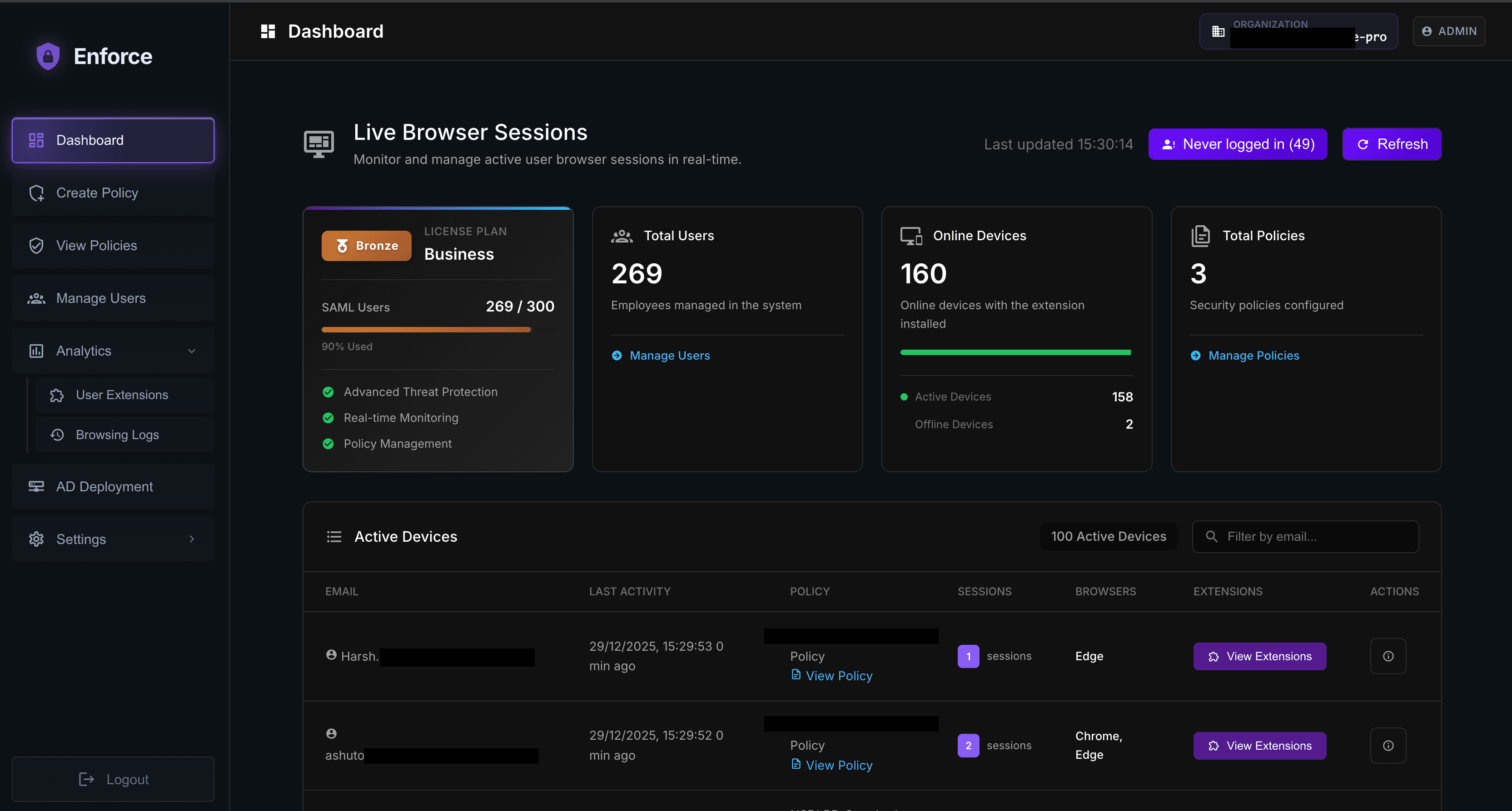
Enforce Dashboard - Browser Security Management
Live Monitoring
AD Connected
1,247 Users
Protected
99.9%
Uptime
QUICK DEPLOYMENT

Deploy in Minutes, Protect in Seconds

Get your entire organization protected with our streamlined deployment process. No complex configurations or lengthy setup procedures.

Connect to AD

Integrate with your existing Active Directory or Azure AD infrastructure

0 minutes
Automated user sync and group mapping

Configure Policies

Set up security policies tailored to your organization's needs

0 minutes
Pre-built templates and custom rules

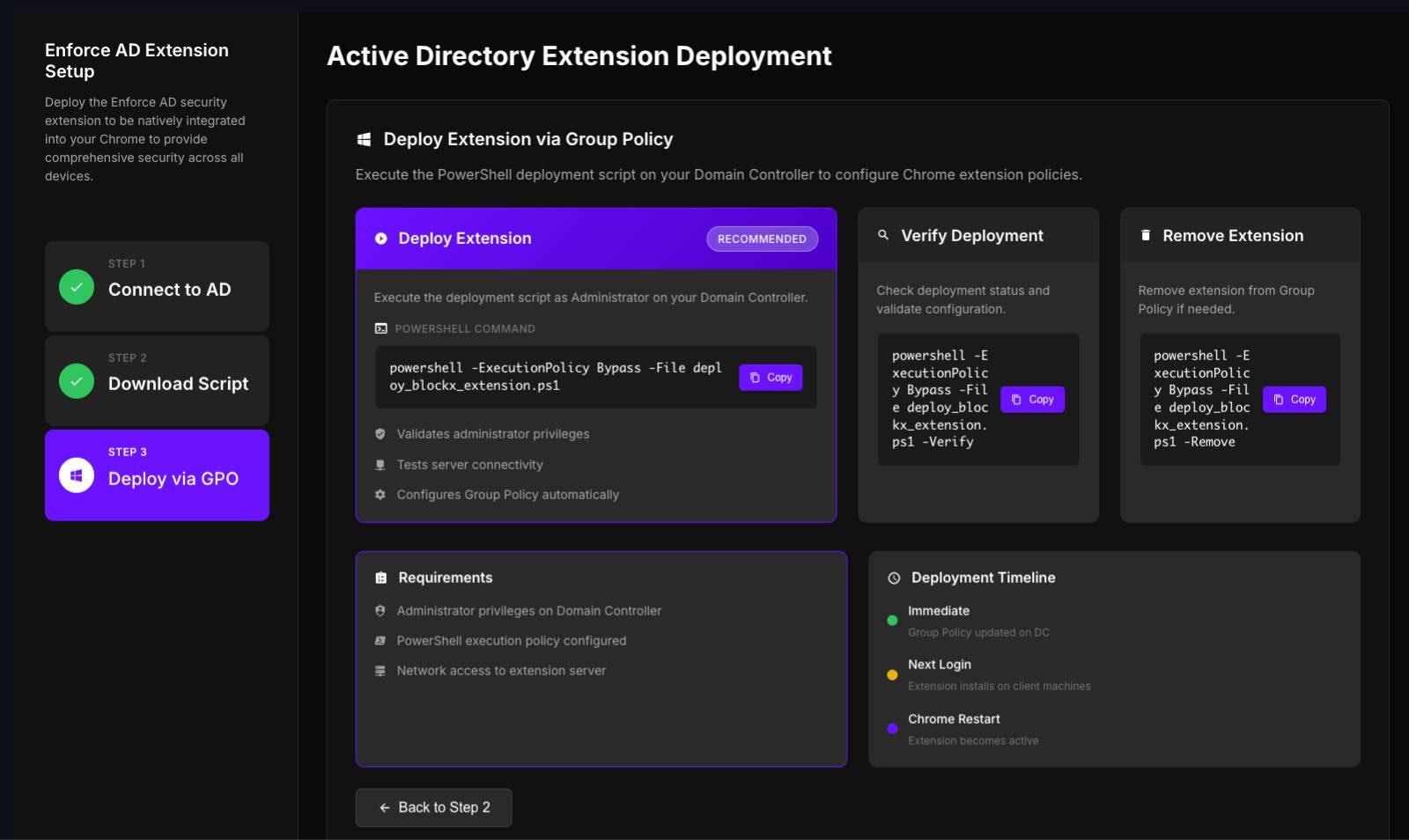
Deploy Extension

Automatically deploy browser extension to all managed devices

0 minutes
Group Policy or cloud deployment

Monitor & Optimize

Track security posture and fine-tune policies based on real data

Ongoing
Real-time dashboards and analytics
TECHNICAL CAPABILITIES

Advanced security features

Our proprietary security engines use machine learning, behavioral analysis, and real-time threat intelligence to provide comprehensive protection against sophisticated browser-based attacks.

AD Integration & SSO Login

AD Integration & SSO Login

Seamless integration with Active Directory and Azure AD for automated user management, SSO login, and policy enforcement.

Technical Specifications:

Azure AD integration
SAML-based SSO login
Automated user provisioning
Group-based policy assignment
Advanced URL Filtering

Advanced URL Filtering

Multi-layered URL protection with advanced threat detection and custom blocklist management.

Technical Specifications:

Advanced threat detection
Custom URL blocklists (unlimited)
Category-based filtering (50+ categories)
Real-time threat intelligence updates
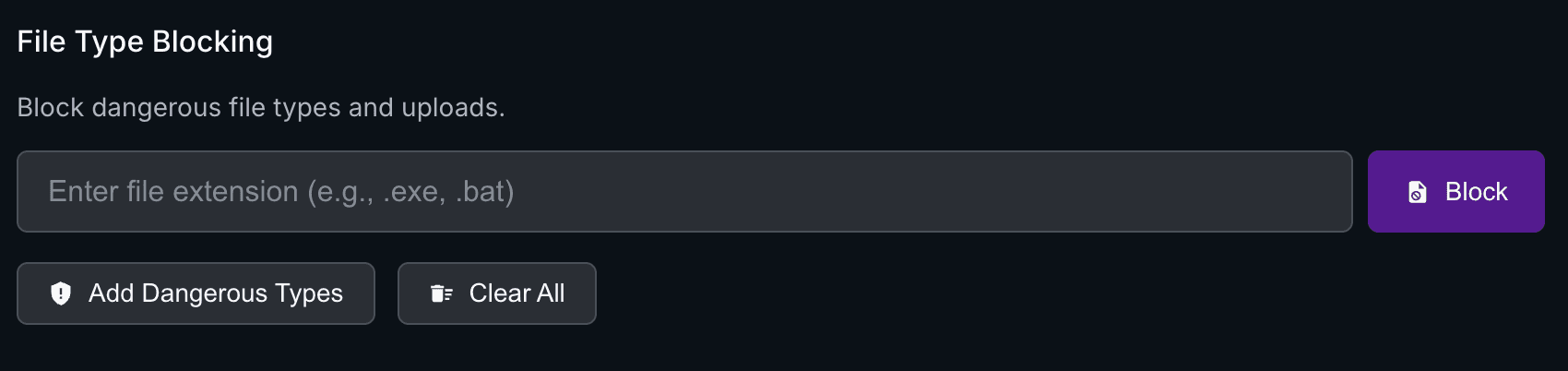
File Download Security

File Download Security

Comprehensive file protection with real-time scanning and behavioral analysis for all download types.

Technical Specifications:

Real-time file scanning
Behavioral analysis engine
File type restrictions
Quarantine management
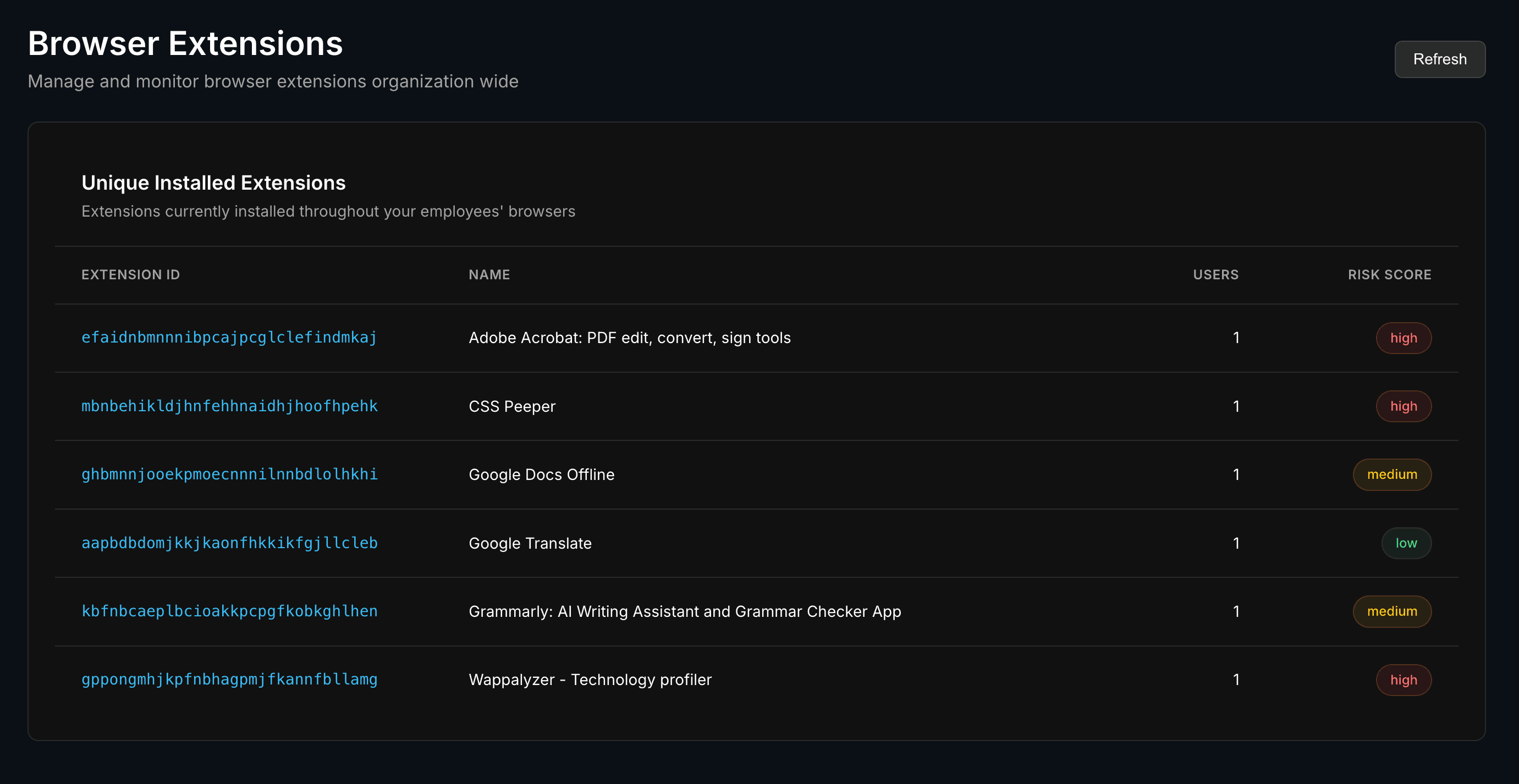
Extension Security Engine

Extension Security Engine

Advanced browser extension management with automated security scanning and permission controls.

Technical Specifications:

Automated extension scanning
Permission-based controls
Malicious extension detection
Whitelist/blacklist management

Enterprise Security

Bank-grade security with end-to-end encryption and compliance with industry standards.

Easy Integration

Seamless integration with existing infrastructure and minimal deployment time.

Advanced Analytics

Comprehensive reporting and analytics to track security posture and compliance.

Expert Enforce image
Nikhil Srivastava
Browser Security Expert
Secure Your Browsing with Enforce

Schedule a free demo and discover how Enforce provides comprehensive browser security with policy-based controls and real-time monitoring.

Our team is ready to help you implement a robust browser security solution that protects your organization from unsafe browsing, risky downloads, and malicious extensions.

Frequently Asked Questions

What is Enforce?

Enforce is a comprehensive browser security platform developed by P.I.V.O.T Security to safeguard organizations against unsafe browsing, risky downloads, and malicious extensions. It provides policy-based controls with seamless integration to both on-premises Active Directory and cloud-based Azure AD.

How does Enforce work?

Enforce works by deploying a browser extension that enforces security policies directly in the browser. The platform integrates with your existing identity infrastructure (AD or Azure AD) to manage users and policies. Administrators can configure policies through a central dashboard, and the browser extension automatically enforces these policies in real-time.

What types of policies can I enforce with Enforce?

Enforce supports comprehensive policy controls including URL blocklists, content category restrictions (social media, gambling, adult content, streaming), risky file type blocking, TLD restrictions, and browser extension management. You can also create department-specific policies and assign them to different user groups.

Does Enforce support both on-premises and cloud environments?

Yes, Enforce provides flexible deployment options. You can integrate with on-premises Active Directory for traditional environments or use cloud-based Azure AD with SAML/SSO for modern cloud-first organizations. This allows you to choose the deployment method that best fits your infrastructure.

How is the browser extension deployed?

The browser extension is auto-deployed through your existing infrastructure. For on-premises environments, it's deployed via Group Policy, while cloud environments use cloud-based setup. This ensures all users receive the extension automatically without manual installation.

What kind of monitoring and reporting does Enforce provide?

Enforce offers comprehensive monitoring and reporting including real-time visibility into browsing attempts, blocked actions, file downloads, and security events. The dashboard provides centralized visibility into devices, compliance status, browser extensions with risk scores, and detailed user activity reports.

Can I manage different policies for different departments?

Yes, Enforce supports department-based policy management. You can create different policies for various departments (e.g., HR, Finance, IT) and assign them to specific user groups. This allows for granular control based on business needs and security requirements.

How does Enforce handle browser extensions?

Enforce provides comprehensive browser extension management with risk scoring. You can block malicious or risky extensions, monitor which extensions are installed across your organization, and get detailed reports on extension usage and potential security risks.

Is Enforce suitable for organizations of all sizes?

Yes, Enforce is designed to scale and can accommodate organizations of all sizes, from small businesses to large enterprises. The platform's flexible deployment options and policy management make it suitable for any organization looking to enhance their browser security posture.

How does Enforce integrate with existing security tools?

Enforce integrates seamlessly with your existing identity infrastructure (Active Directory or Azure AD) and can work alongside other security tools. The platform provides APIs and reporting capabilities that can be integrated with SIEM solutions and other security monitoring tools for comprehensive security visibility.

What kind of support and training is available?

P.I.V.O.T Security provides comprehensive support including implementation assistance, administrator training, and ongoing technical support. Our team helps you configure policies, deploy the solution, and provides best practices for maximizing your browser security posture.

How can I get started with Enforce?

To get started with Enforce, simply book a demo through our website. Our team will provide a personalized demonstration of the platform, discuss your specific security requirements, and guide you through the implementation process. We'll help you choose the right deployment option and configure policies that meet your organization's needs.